Dialogs leading to the solution document
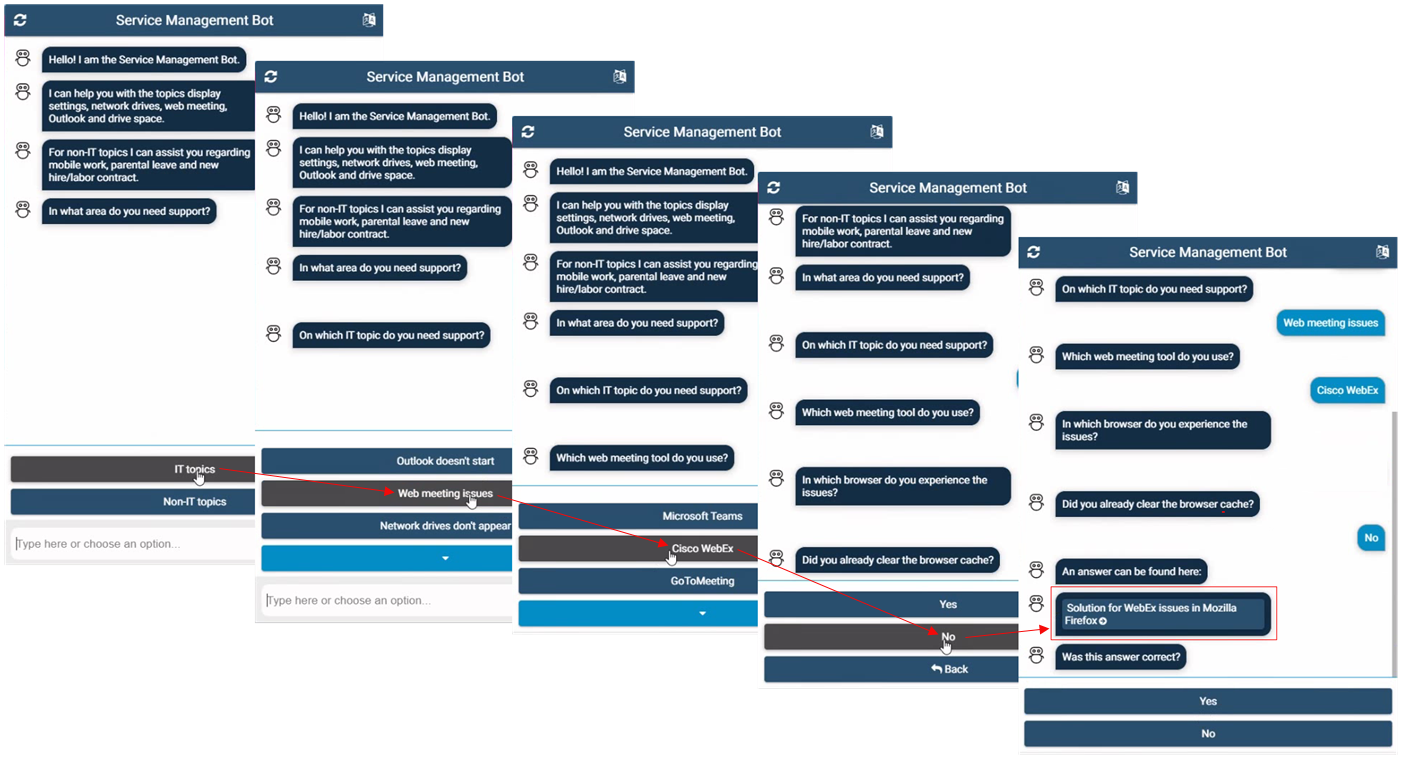
Example of using the Chatbot in a guided dialog mode to get a solution document:
Click the to start the Chatbot.
Click through the predefined categories at the bottom of the Chatbot window to follow your issue.
Note
It depends on the customer Chatbot configuration if and which predefined categories are available in the Chatbot dialog.
Chatbot may offer you the corresponding solution document at some point.
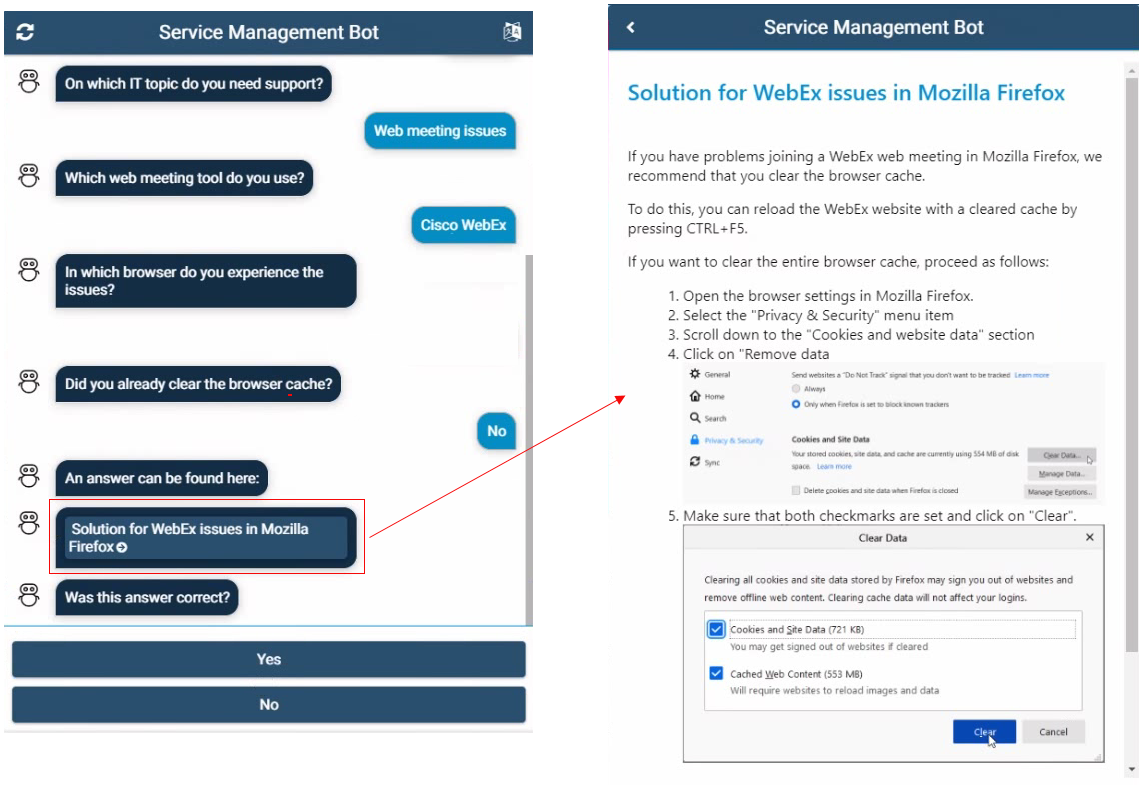
The solution document opens directly in the Chatbot window.