Searching for the current IT disruption
To search for the current IT disruption:
Enter a key term into the search box.
Press Enter.
The search results are listed below in the search result window.
Scroll down to the News & Current IT Disruptions category.
Here you can find if the search term matches the desired disruption.
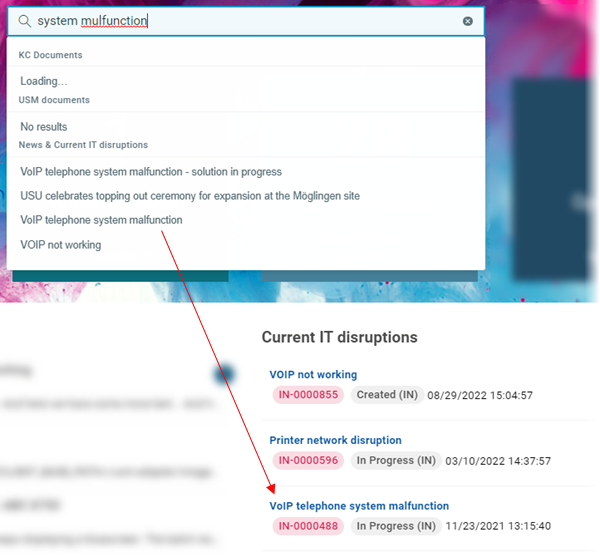
Click the selected disruption.
A drawer with the current IT disruption details opens on the right.