Approving and declining service request approval tasks
To approve the service request approval tasks:
Go to the Open tasks Info tile.
Click .
The Overview of my tasks dialog opens.
Here you can see the requests created by your employees. Now it is up to you to approve or decline something because of the role you have.
Click the selected request to open it in the detail view.
Here you can check what was requested, when, by whom plus some additional info.
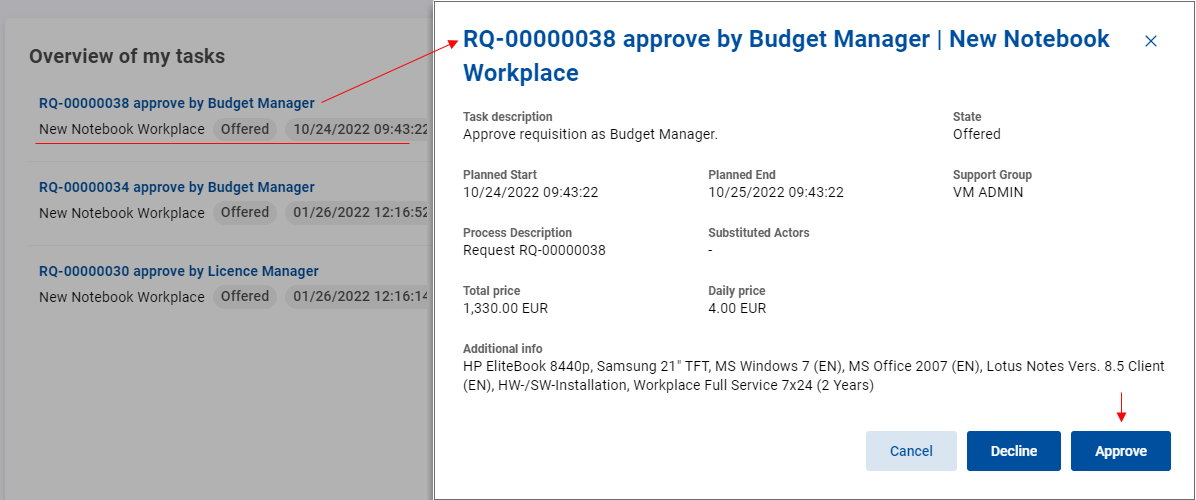
Click Approve.
Now the service request process may proceed.
To decline the service request approval tasks:
Go to the Open tasks Info tile.
Click .
The Overview of my tasks dialog opens.
Here you can see the requests created by your employees. Now it is up to you to approve or decline something because of the role you have.
Click the selected request to open it in the detail view.
Here you can check what was requested, when, by whom plus some additional info.
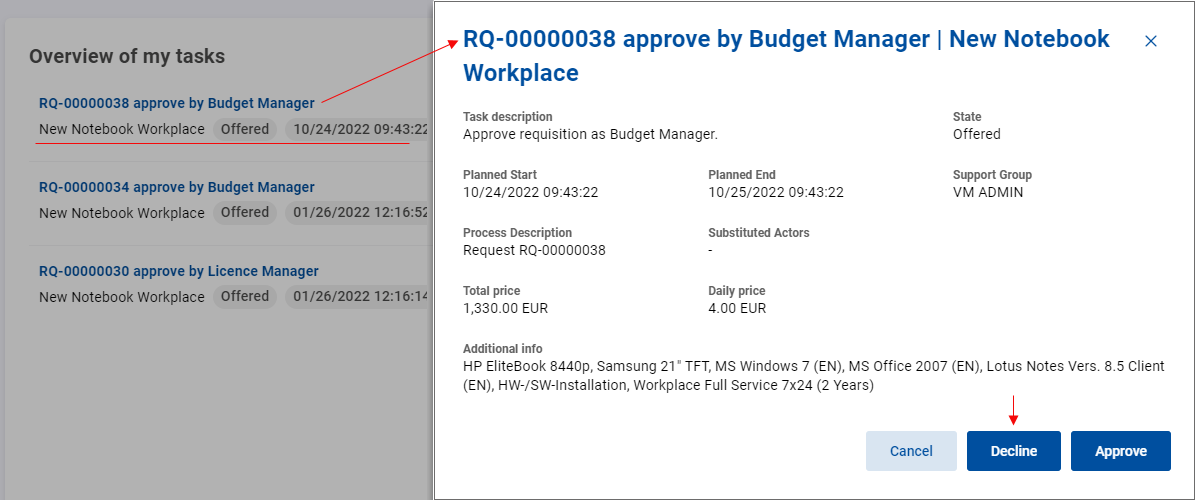
Click Decline.
The Decline task dialog opens.
Type in the reason for rejection.
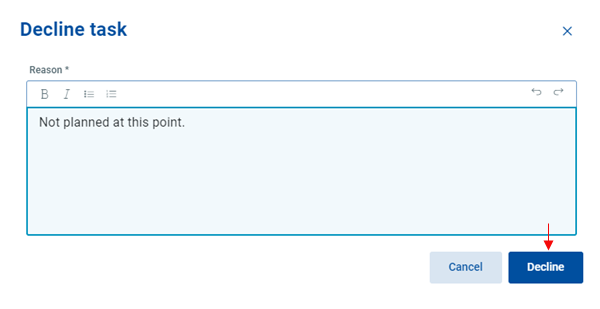
Click Decline again.
Now the process goes the other way back to the previous point.