News & current IT disruptions
News & the current IT disruptions are two main dashlets on the Welcome Page but all of the news and the current IT disruptions are coming from USU Service Management by definition. It means that the same news are visible in the top right-hand corner in the USM application and the current IT disruptions equal to USM Major Incidents.
To search for the news or current IT disruptions by a search term:
Enter a key term into the search box.
Press Enter.
The search results are listed below in the search result window.
Scroll down to the News & Current IT Disruptions category.
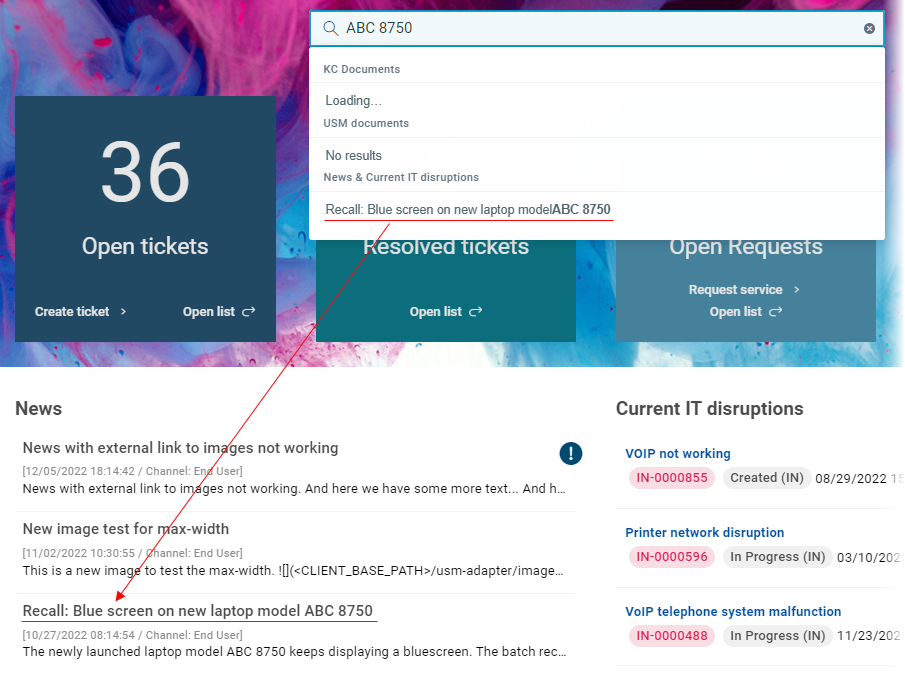
Here you can find if the search term matches some news and current IT disruptions.
Note that the news found under this category matches the news in the News dashlet.
Click the selected news.
A drawer with the news details opens on the right.
To create a ticket directly from the news:
Enter a key term into the search box.
Press Enter.
The search results are listed below in the search result window.
Scroll down to the News & Current IT Disruptions category.
Here you can find if the search term matches some news.
Click the result (supposing there is any).
A drawer with the news details opens.
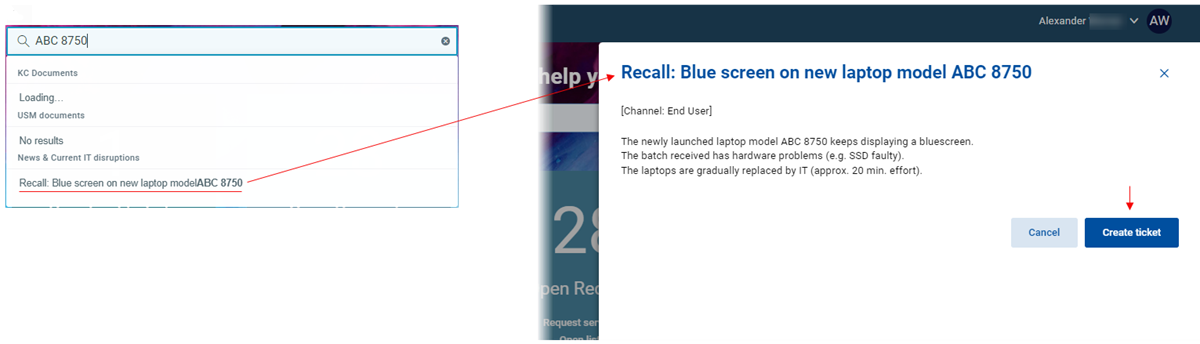
Click Create ticket.
The Create ticket dialog opens allowing you to create a ticket immediately.
To create a "me too" ticket from the current IT disruption:
Enter a key term into the search box.
Press Enter.
The search results are listed below in the search result window.
Scroll down to the News & Current IT Disruptions category.
Here you can find if the search term matches some current disruptions (Major Incidents).
Click the result.
A drawer with the disruption details of the Major Incident opens.
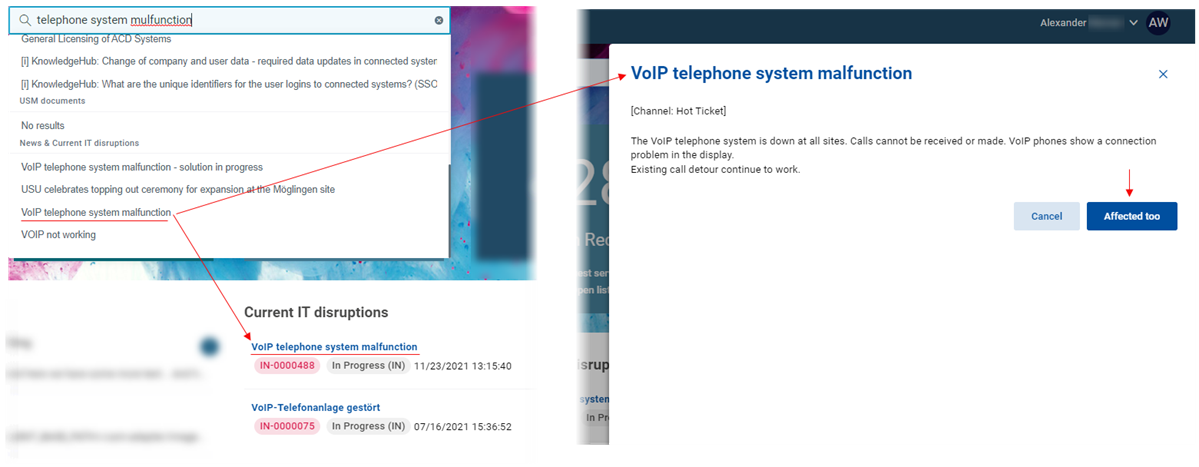
Click Affected too.
Now the "affected too" ticket has been successfully created. The ticket is associated with the superior Major Incident automatically.