Create a subcategory
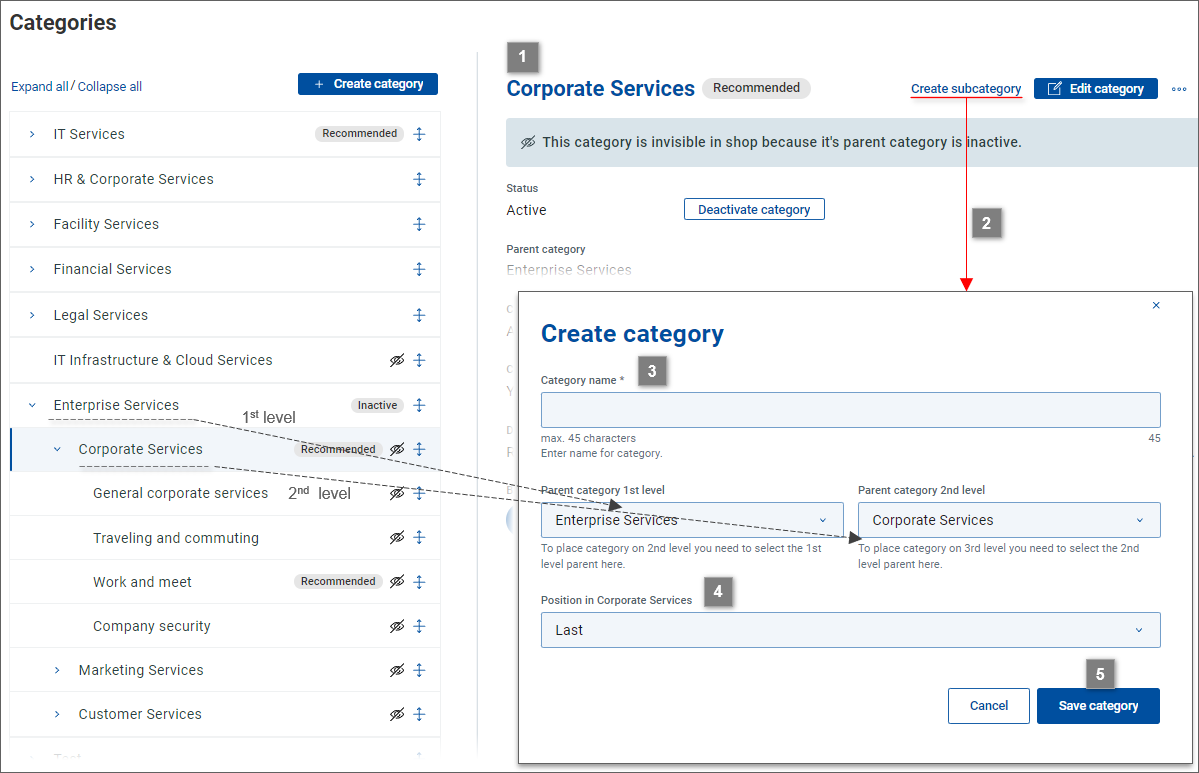
The action creates a subcategory of the category currently viewed in .
Open a 1st or 2nd level category in .
Click the action at the top of .
A Create category dialog opens with fields and already filled in with parent categories reflecting the initial category's position. (If a subcategory on the 2nd level is being created, pre-filled value will be .)
Fill in .
Use the field to specify the position of the subcategory within its parent category.
Click to finish subcategory creation.