User interface
User interface of the administration client is consistent with other current generation USU apps. Most Shop administration work is done in the category administration (see the image below) and offer administration modes.
Main sections
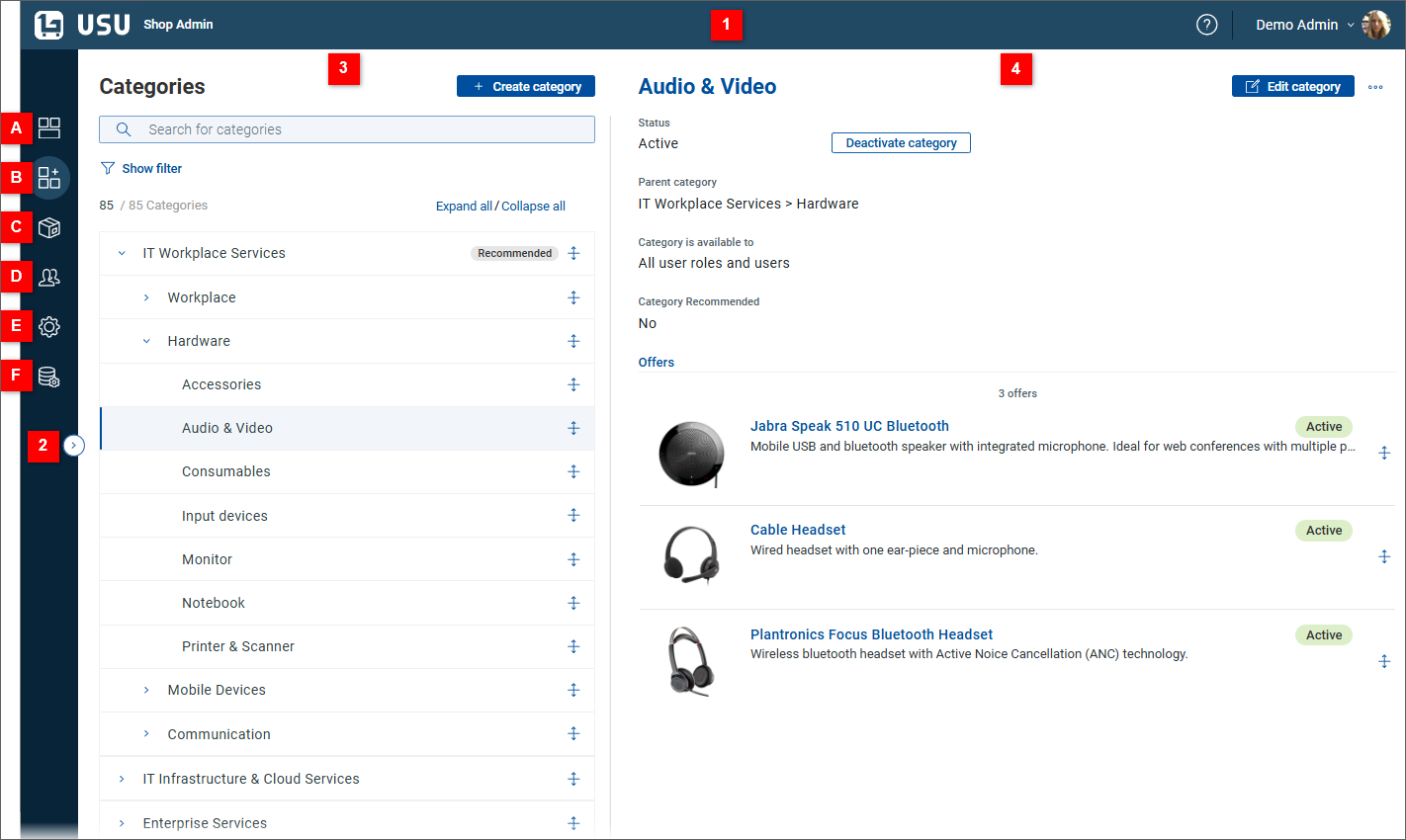
| USU toolbar | Application header with user profile settings. Click the element on the right to open a menu containing the following items: . Use the item to open user settings. Click the question mark icon to open online help. |
| Collapsible sidebar | Main navigational element of the administration client.
|
| Overview tab | Category tree (category administration mode) or offer list (offer administration mode) |
| Detail tab | Detail view of the category or offer selected in the overview tab. By default the view gets displayed in the read mode, click the Edit category / Edit offer button to unlock full editing capabilities. |


Note
Examples and screenshots in this administrator guide use demo data supplied by the manufacturer. The content (offers, categories and category structure) and some functions in your shop will differ but general concepts explained here still apply.