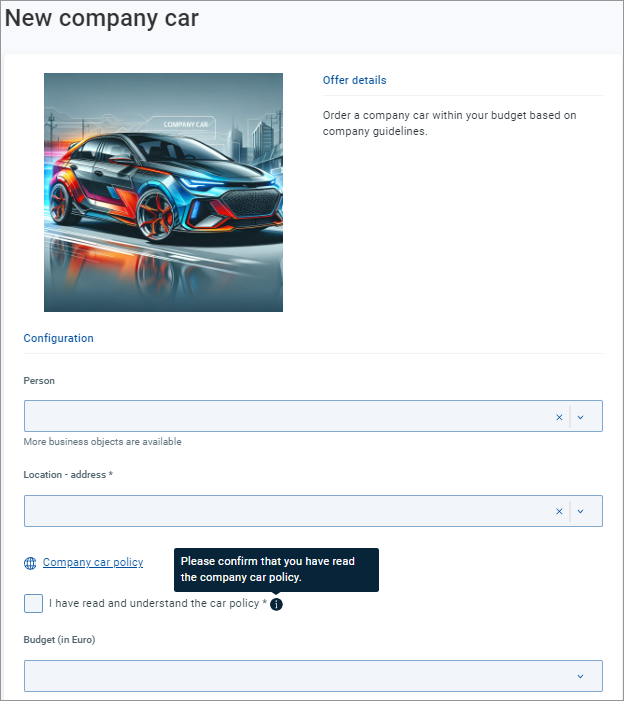
Mandatory Boolean parameter
Sometimes you may need to make sure that the user sets a Boolean parameter to the True value (checks a checkbox or switches a toggle to Yes) before proceeding to request the offer. Typical examples of this checkbox use are agreeing to the or a confirmation of having read an important document related to the offer.
Note that while the term usually means 'must have a value', in this context means 'must be set to True'.
Let's consider an offer for ordering a company car in accordance with an existing company car policy. The requestor is obliged to read a linked document before proceeding to submit the order.
Make the document available as a hyperlink parameter of the offer.
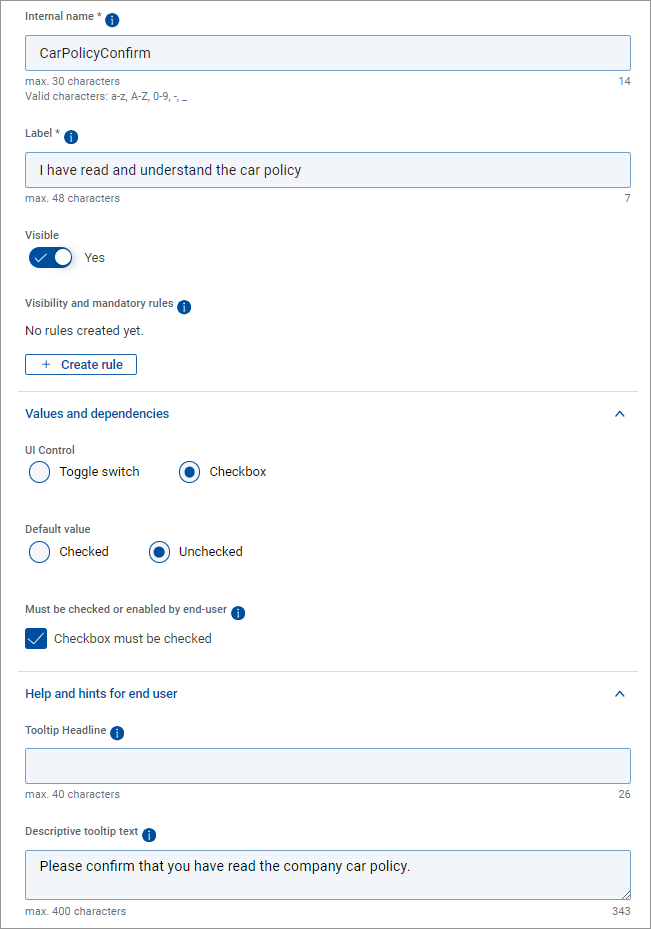
Create a Boolean parameter of the checkbox type. Set its default value to Unchecked.
Set to True and use the tooltip fields to provide proper guidance.
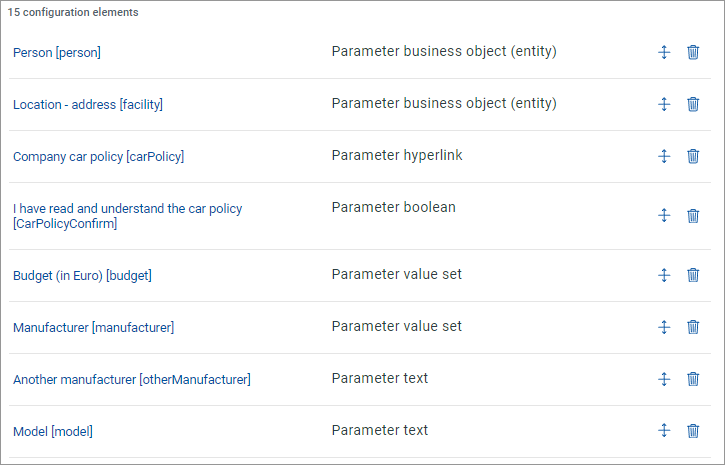
With the new Boolean parameter saved, rearrange the parameters of the offer so that the Boolean parameter follows immediately after the related hyperlink parameter.
Check the result.