Filter categories
Clicking Show filter in the Category tree opens the Filter categories dialog. Use it to specify criteria for categories filtering.
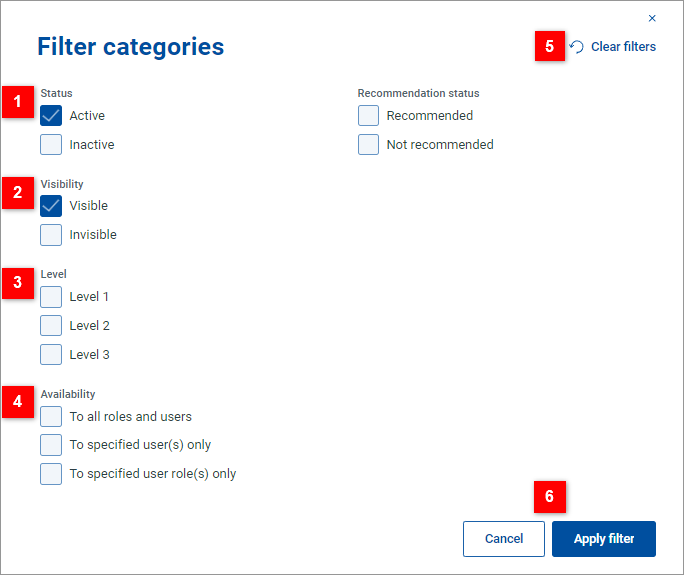
| Filter the list by category status and recommendation status. |
| Filter the list by category visibility. A category becomes invisible if it does not contain any active offers (i.e. it is either a 3rd level category with no active offers or a higher level category whose 3rd level subcategories contain no active offers). |
| Filter the list by category level. For example, see a list of all 3rd level categories . |
| Filter the list by category availability. |
| Click Clear filters to clear the current filter criteria. The dialog remains open and can be used to specify new filtering criteria. |
| Click Apply filter to close the dialog and apply the specified filtering criteria. Click Cancel to close the dialog without applying any changes. |


