Example 2: One trigger for multiple targets
One element can be used as a trigger in multiple rules (i.e. can influence multiple targets).
Let's consider an example offer which registers the request for relocation of an employee to a new physical location, organization unit or cost center. Let's also assume that the company policy is for each employee to have just one of these assignments.
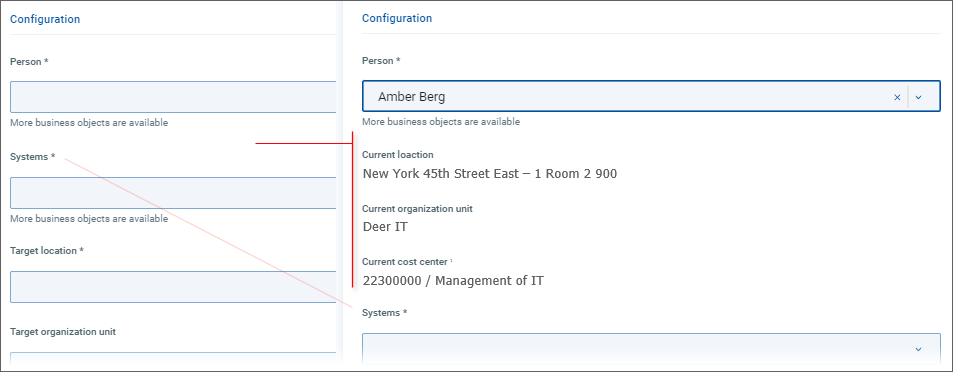
In such case, location, organization unit and cost center can be displayed as read-only attributes and we can streamline the user interface by having these attributes displayed only after an employee has been selected. To do so, we must:
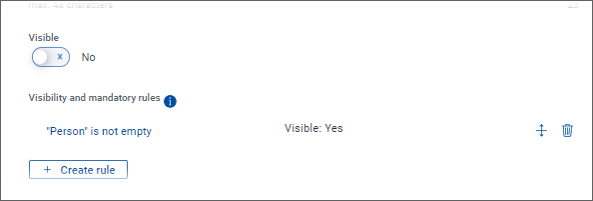
set the initial visibility of the three attributes to , and
create for each of them a visibility rule making them visible only when the person parameter in the offer is not empty.
All three visibility rules will thus be triggered by the person parameter.
Starting with initial configuration like this:
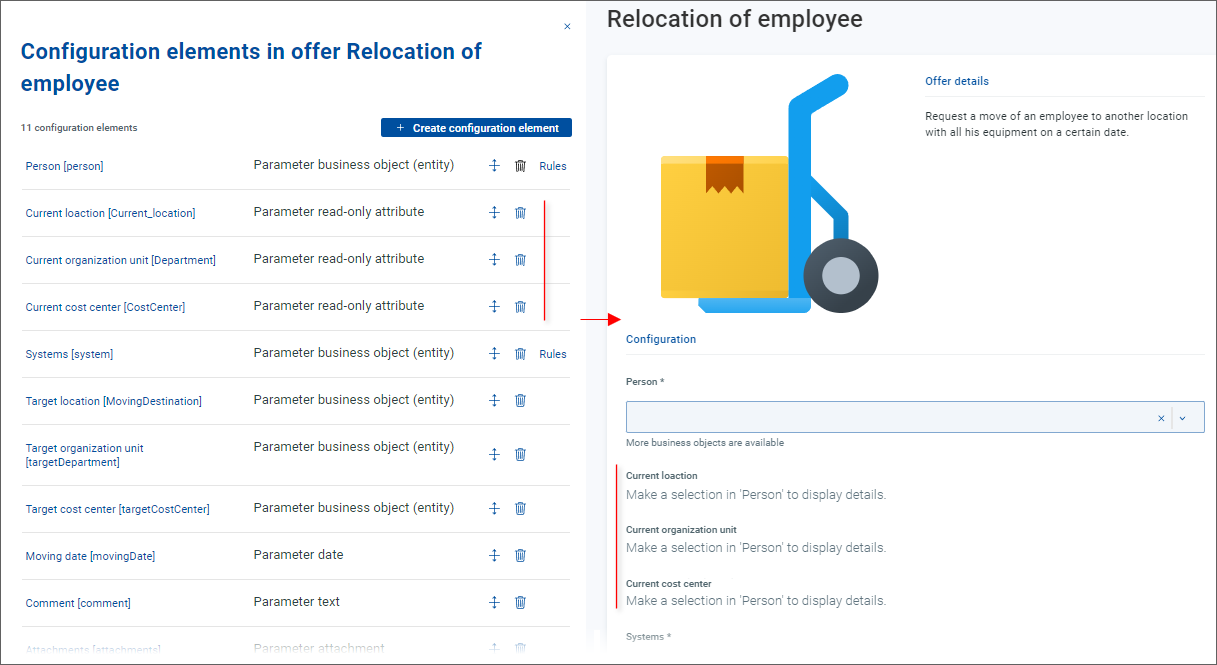
and adjusting the visibility and visibility rule for each of the three read-only attributes in the following way:
results in the read-only attributes being displayed only when a person is selected: