Cart page

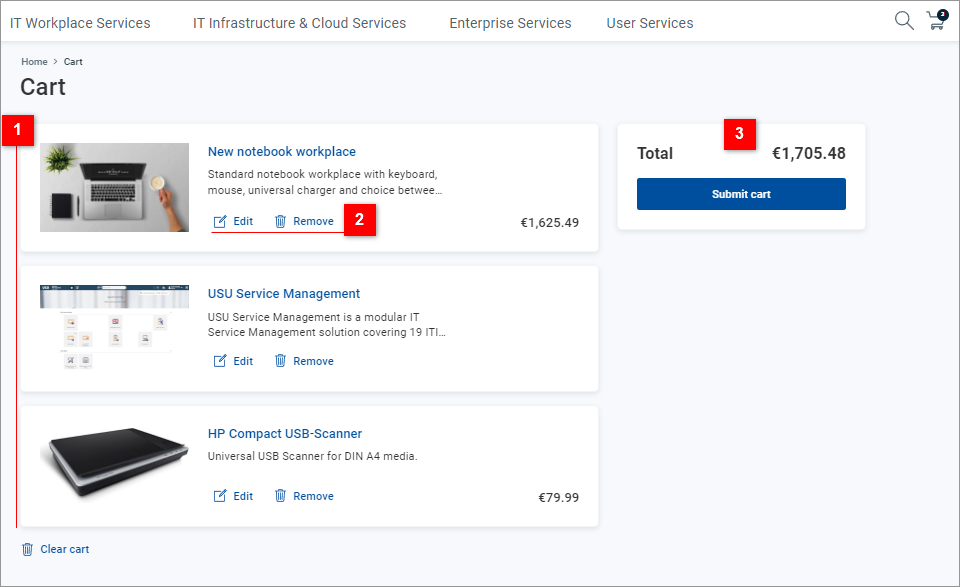
The Cart page is your virtual shopping cart. Use it to:

  • View the content of the current request that you have just prepared for submission

  • Edit your request - remove items, open individual items for changing their configuration

  • Submit your request

42_Cart-de.png

1.png

Inspect the content of your cart - individual items are listed with their graphical representation, a short description and price (if applicable).

2.png

For individual items:

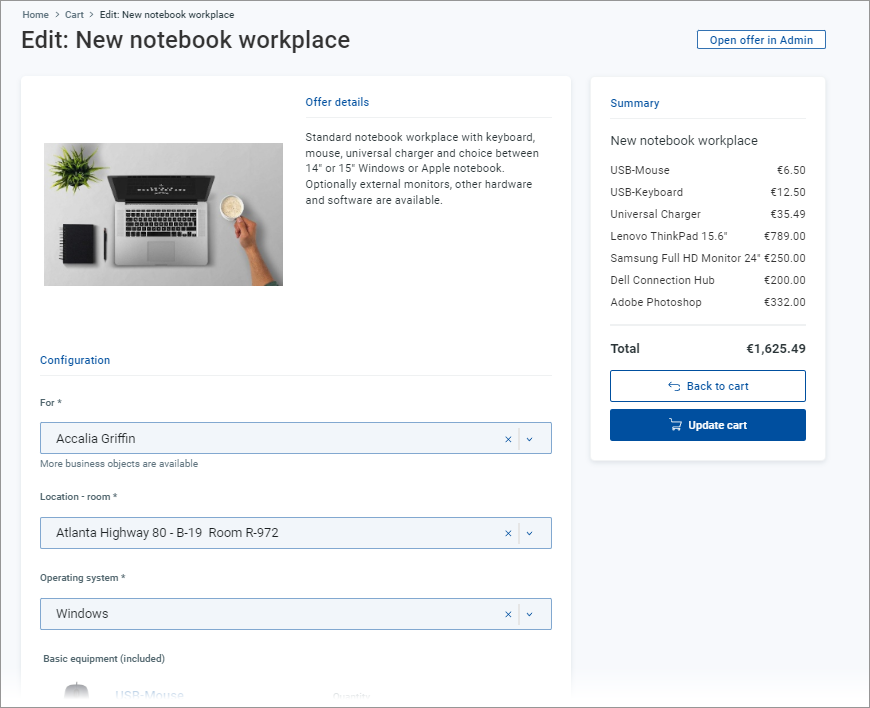
  • Click the Edit button or item name to open it in the Offer detail page. In the Offer detail page:

    • Inspect or change offer configuration.

    • Specify for whom the offer is requested. You can select yourself or those Shop users for whom you are allowed to request. (See the Selection from business objects section under Offer detail/Parameters for more information.)

    • Click Update cart in the Summary section to confirm the changes and go back to the cart.

    • Click Back to cart in the Summary section to return to the cart without changes to the item.

  • Click Remove to remove the item from the cart.

3.png

Use the Total section to view the total price (and total periodical costs, if applicable) of your request, then click Submit cart to finalize the request. You will be presented with a confirmation dialog, where:

  • Click Back to shop to return to the Shop Homepage.

  • Click My requests to open the My requests page.

The Offer detail page opened from the cart can be used for additional configuration changes. See point 2 above.
42_Cart-OffrDetail-de.png